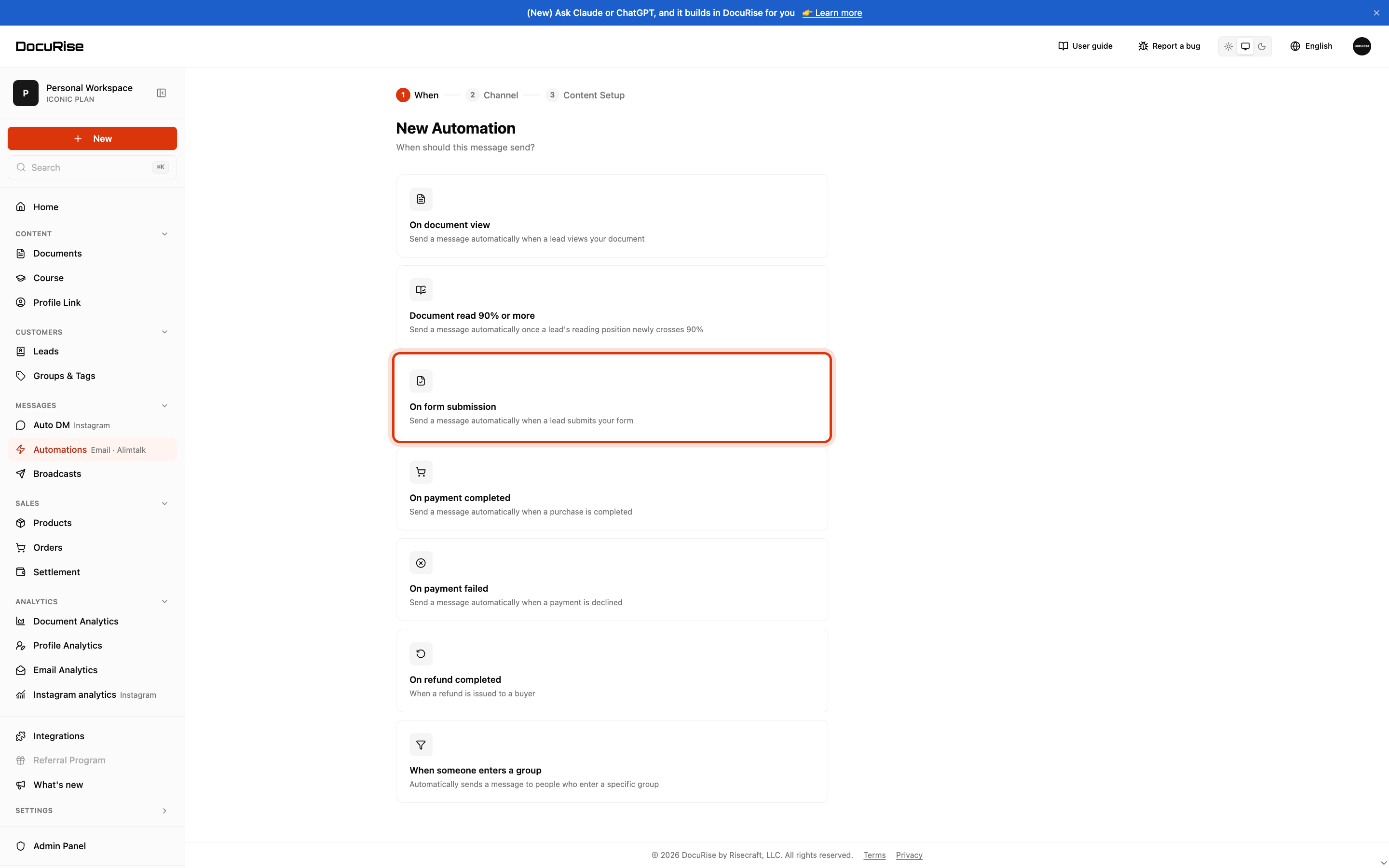
Step 1 / 3 · Automations → New automation
Choose when to send
Choose On form submission to send automatically to people who requested the resource.
STEP 4: Automatic sending
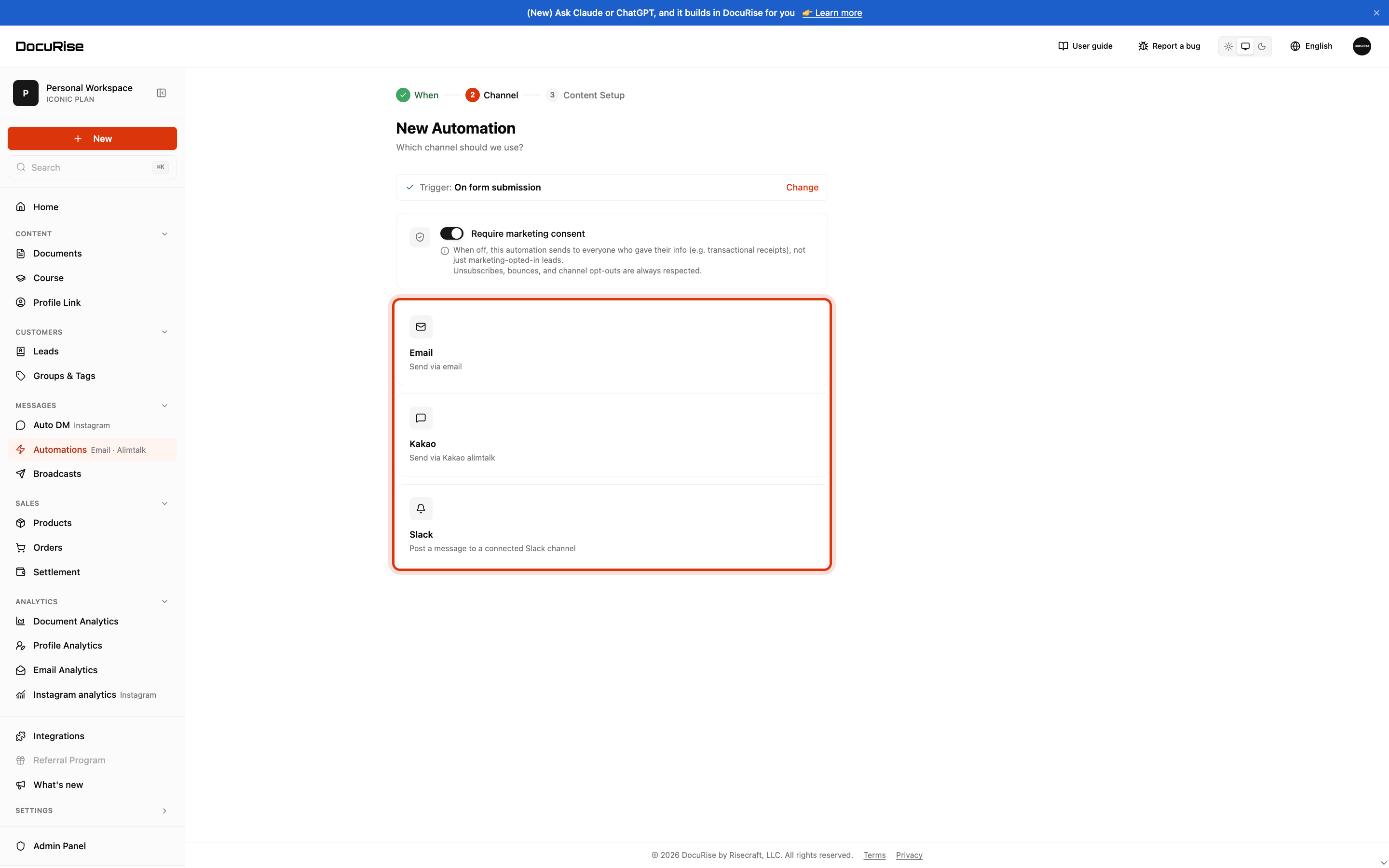
Step 2 / 3 · Automations → Channel
Choose the channel
Choose from Email, Kakao AlimTalk, or Slack. You can also send team alerts to Slack.
STEP 4: Automatic sending
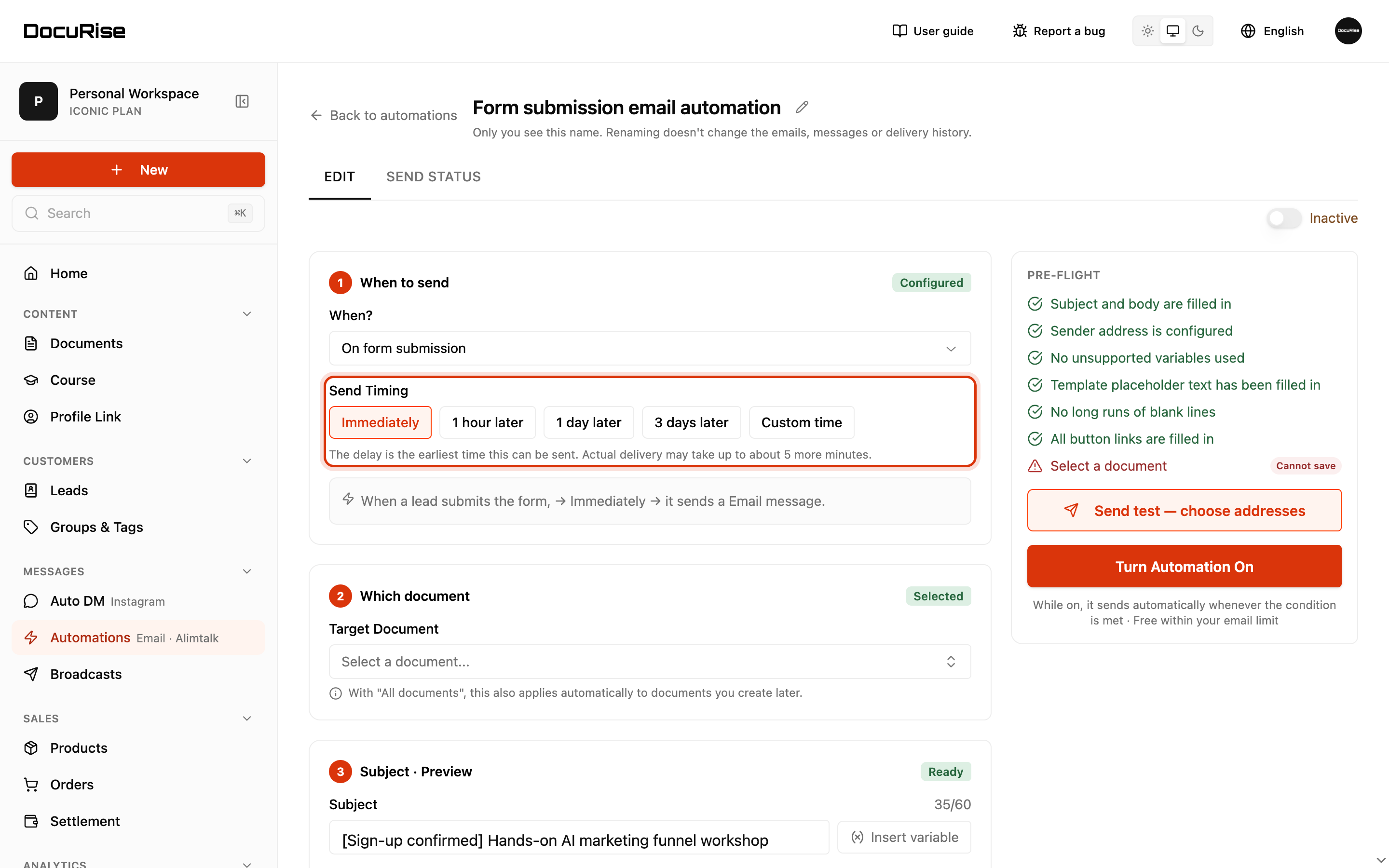
Step 3 / 3 · Automations → Send timing
Set the timing and turn it on
Leave it on Immediately and it arrives right after sign-up. Check with a test send, then turn the automation on.
STEP 4: Automatic sending