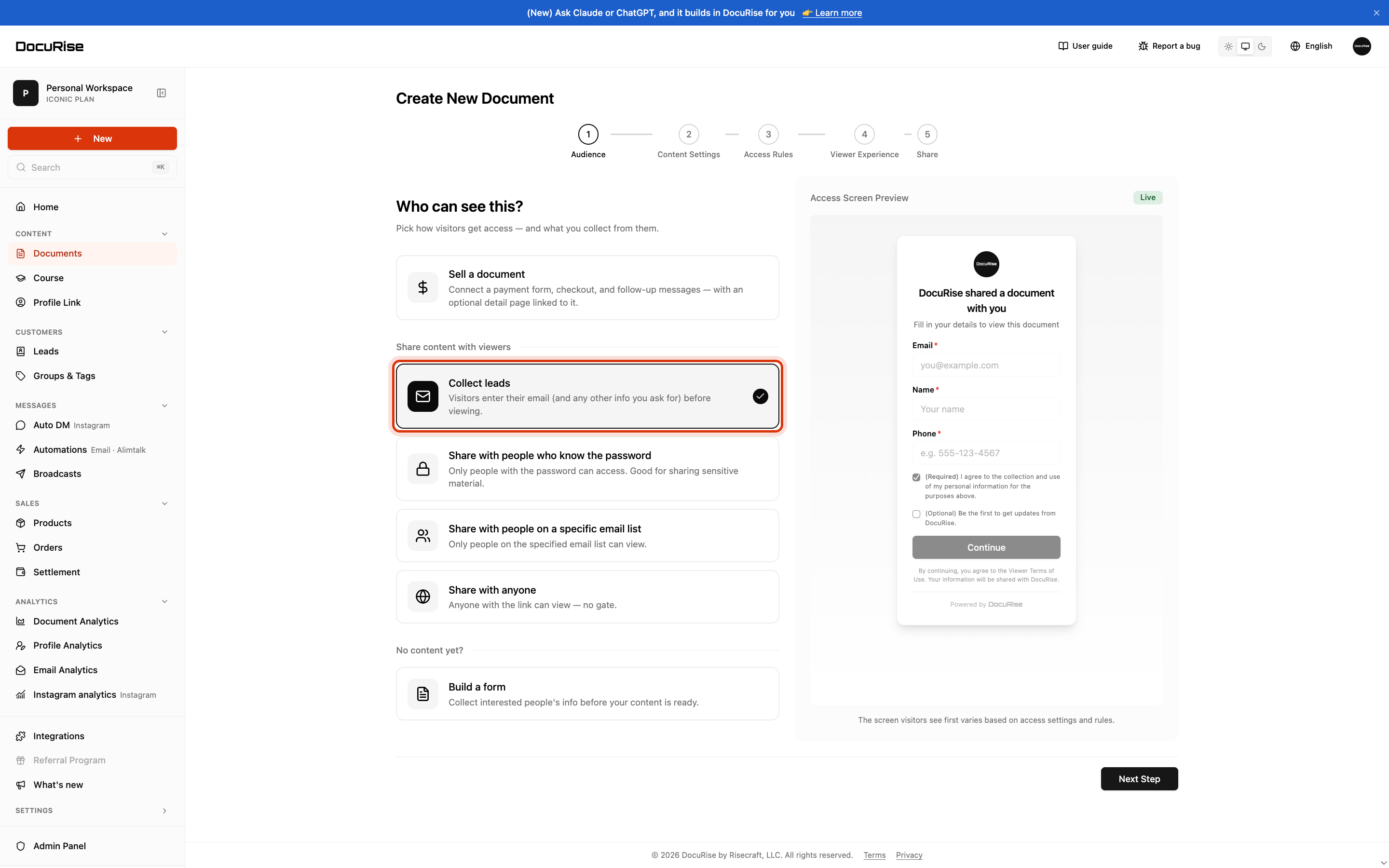
Step 1 / 4 · 1 Audience
First, choose the document's purpose
Pick the purpose you decided on earlier. This guide uses Collect leads.
STEP 1: Create a document
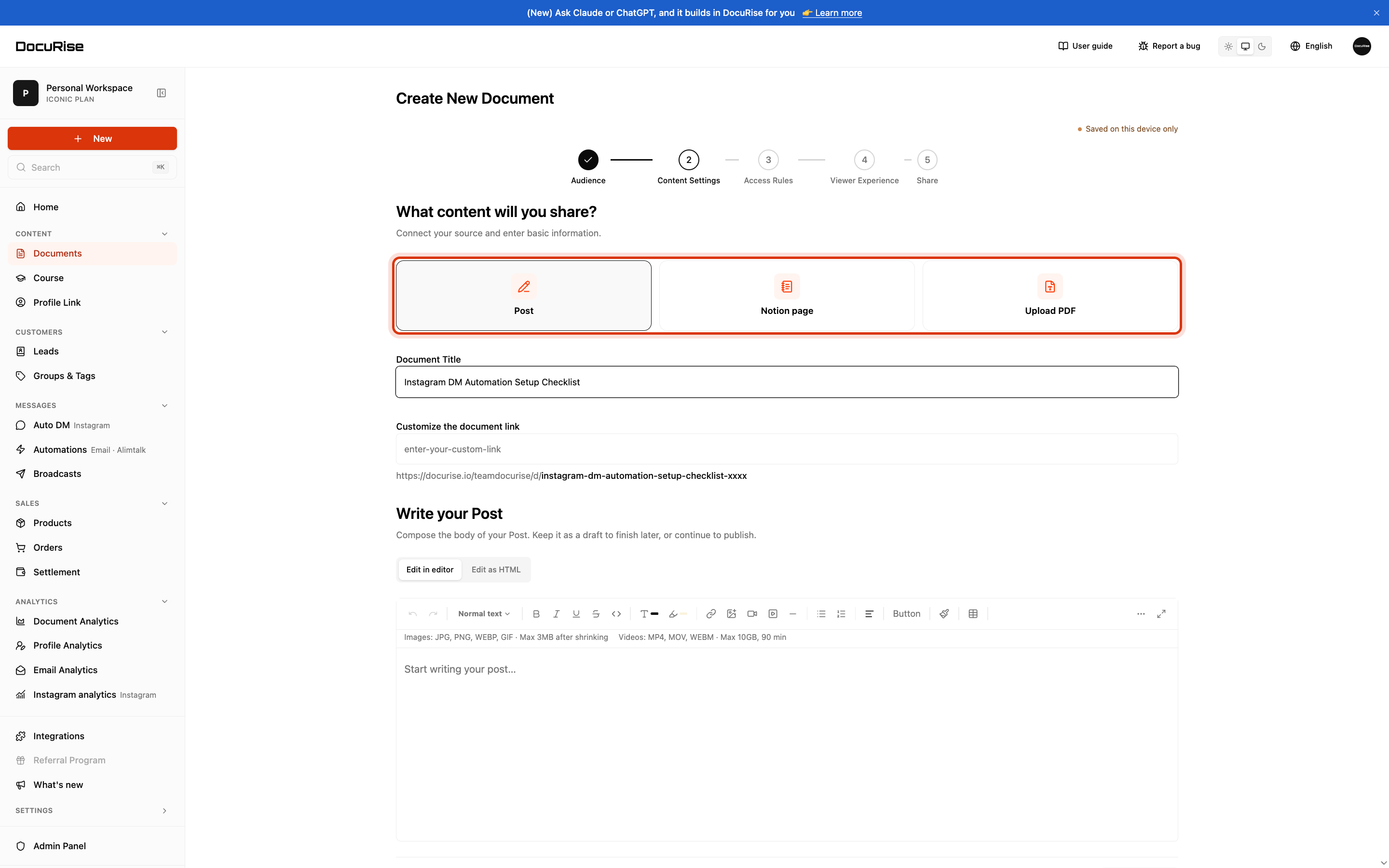
Step 2 / 4 · 2 Content Settings
Connect the resource you have
Choose from Post, Notion page, or Upload PDF. For Notion, you only need to connect the link.
STEP 1: Create a document
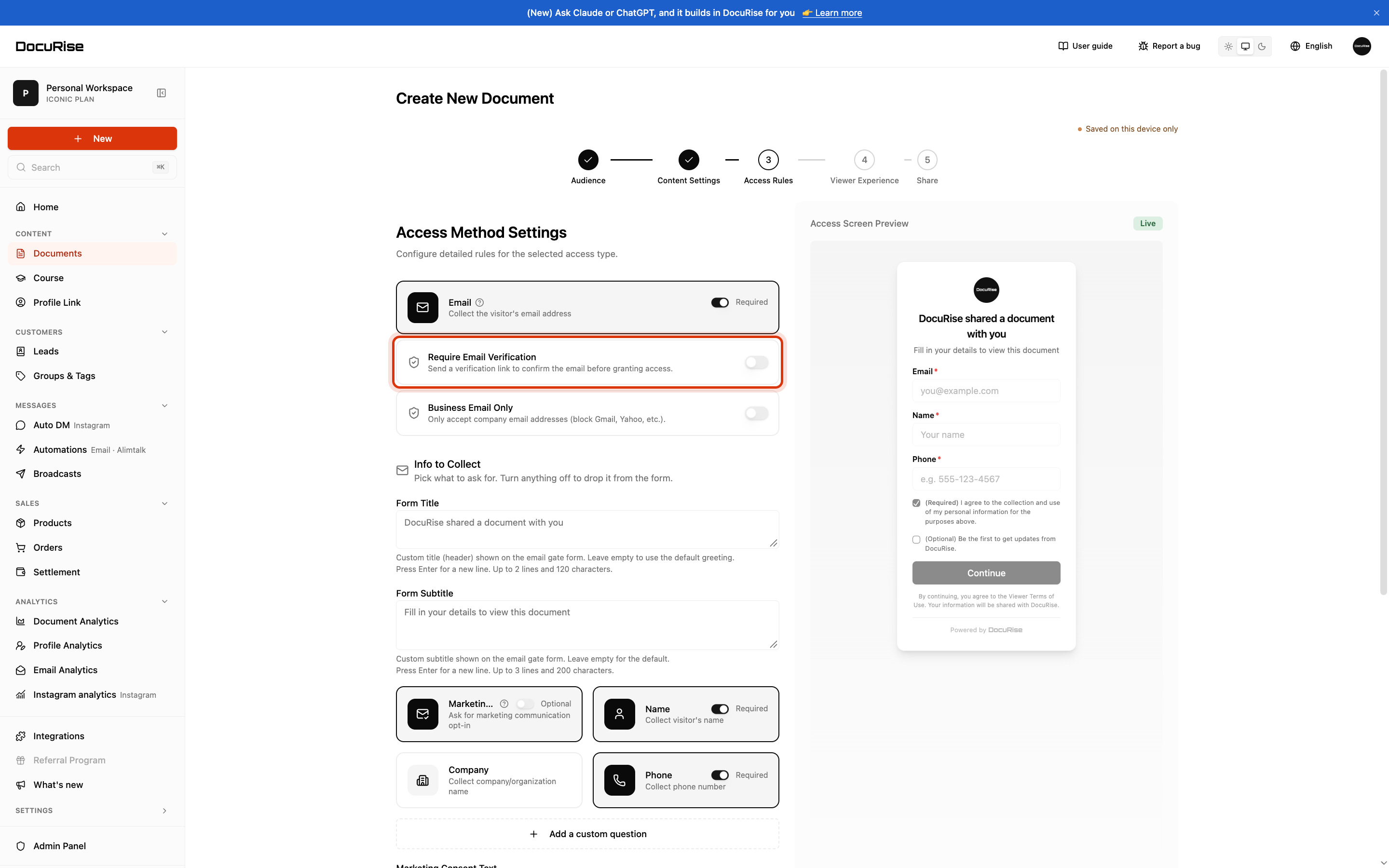
Step 3 / 4 · 3 Access Rules
Access rule ①: email verification
The first of three access rules. Decide whether to check that the email entered is a real address.
STEP 1: Create a document
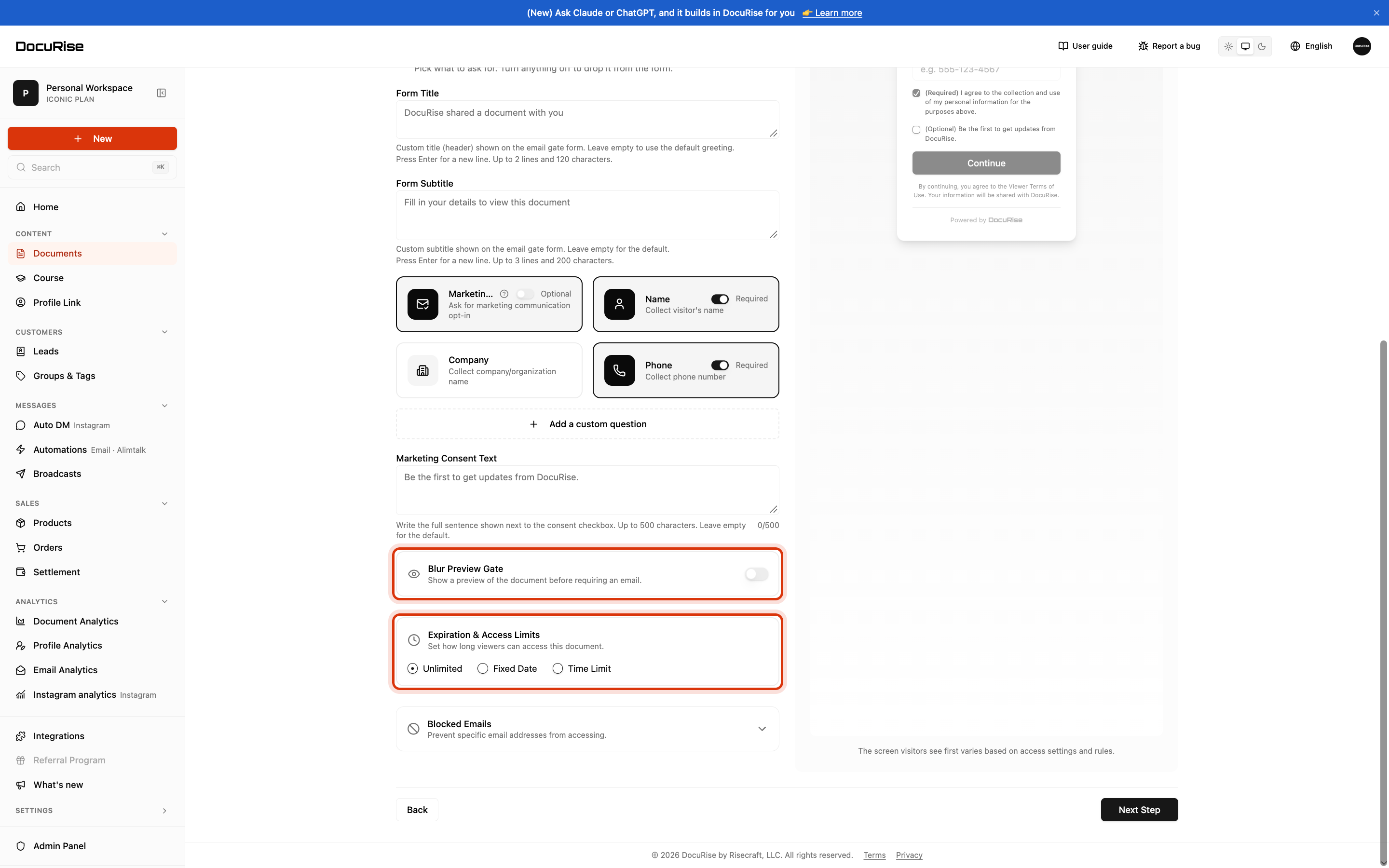
Step 4 / 4 · 3 Access Rules
Access rules ②③: preview and viewing period
These are the other two. Set how much to show before collecting contact info, and how long the document can be opened.
STEP 1: Create a document