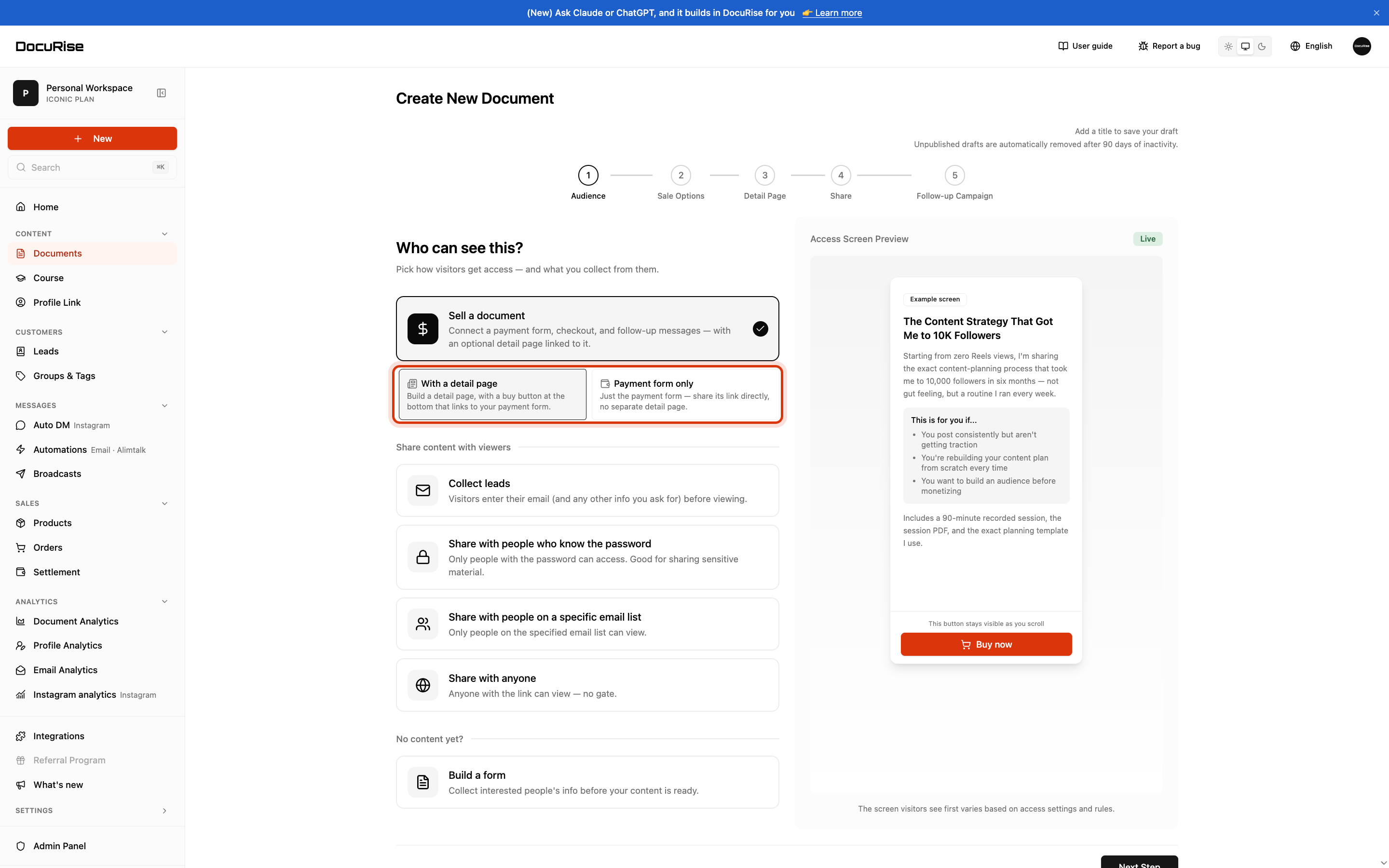
Step 1 / 6 · New document → Audience
First choose how to sell
Choose Sell a document, then choose With a detail page or Payment form only.
STEP 7: Connect a product
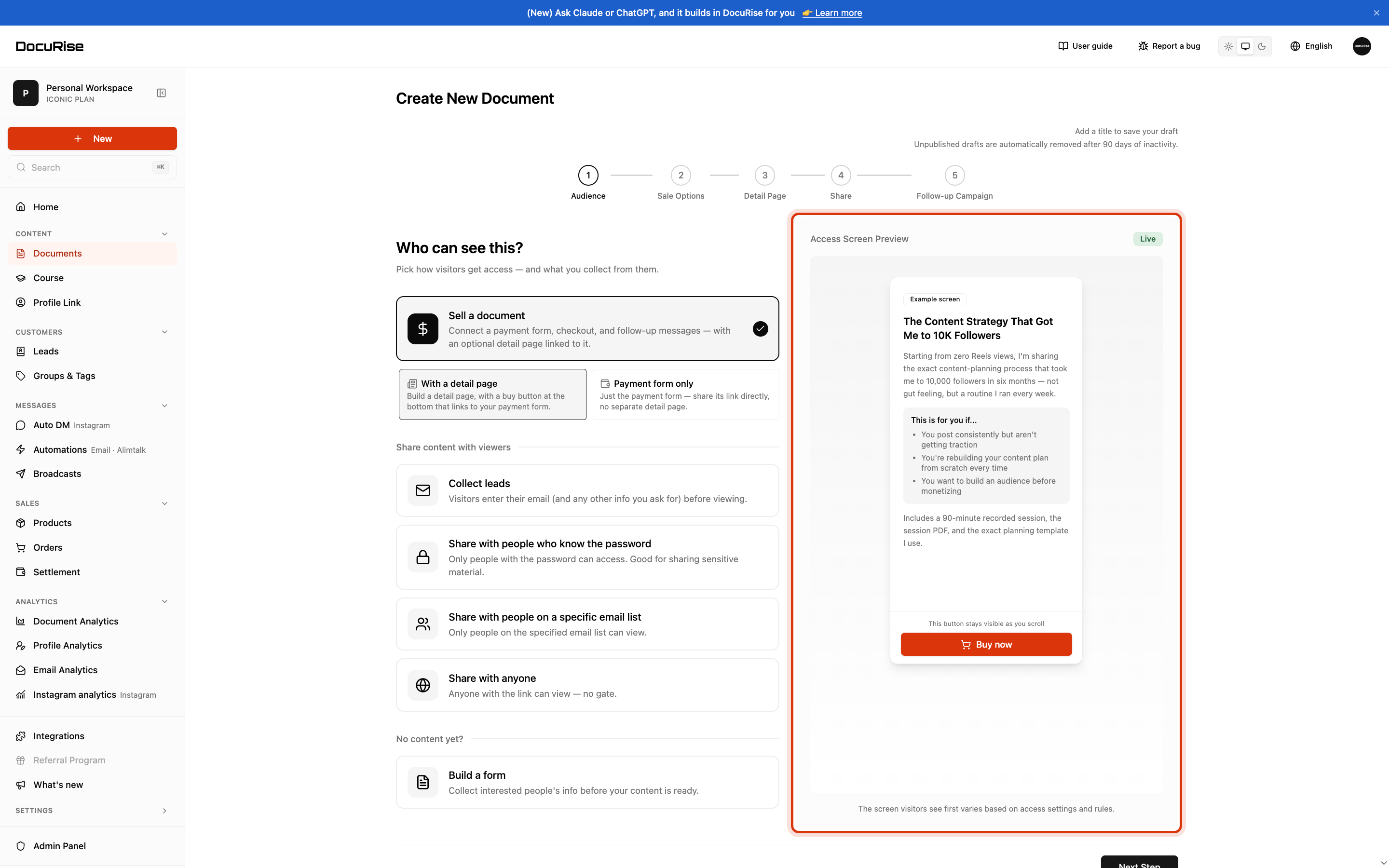
Step 2 / 6 · With a detail page
Show an intro page first
Visitors read the title, description, who it's for, and what's included, then tap the buy button to reach the payment form.
STEP 7: Connect a product
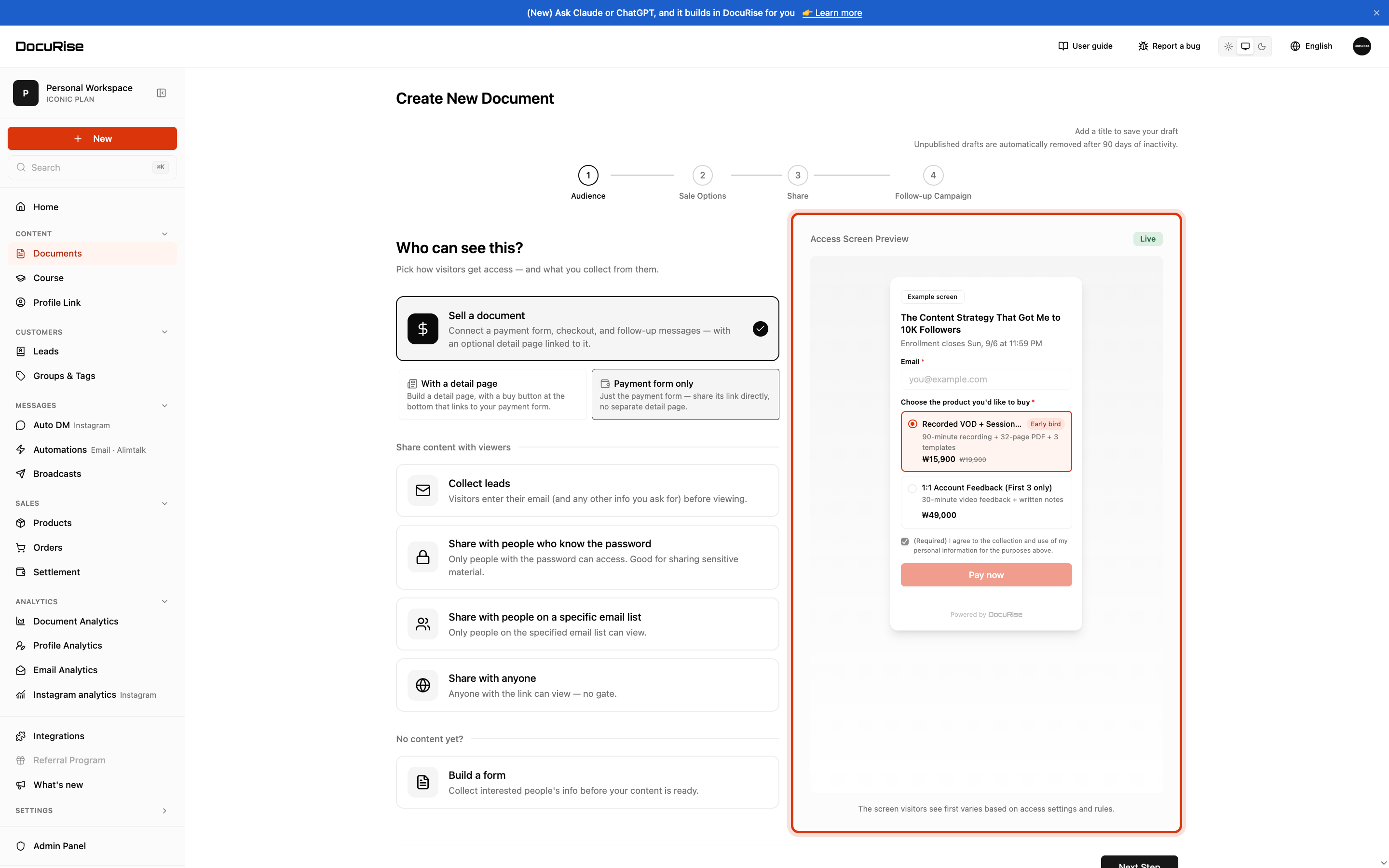
Step 3 / 6 · Payment form only
Show the payment screen right away
Enter an email, choose a product, and check the consent box to go to payment. Multiple products are listed as options.
STEP 7: Connect a product
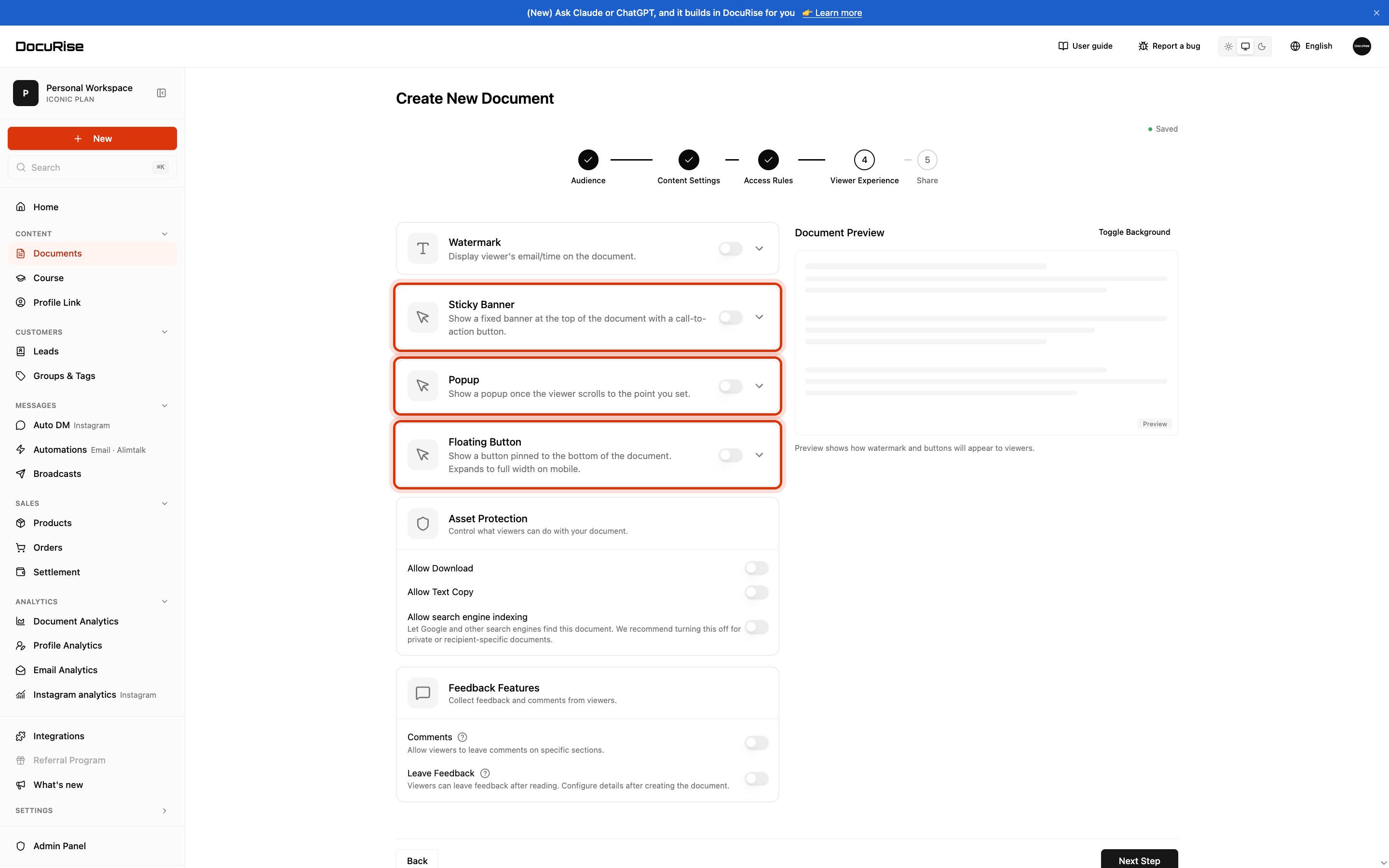
Step 4 / 6 · New document → Viewer Experience
Choose the button type for your document
Choose from Sticky Banner, Popup, or Floating Button.
STEP 7: Connect a product
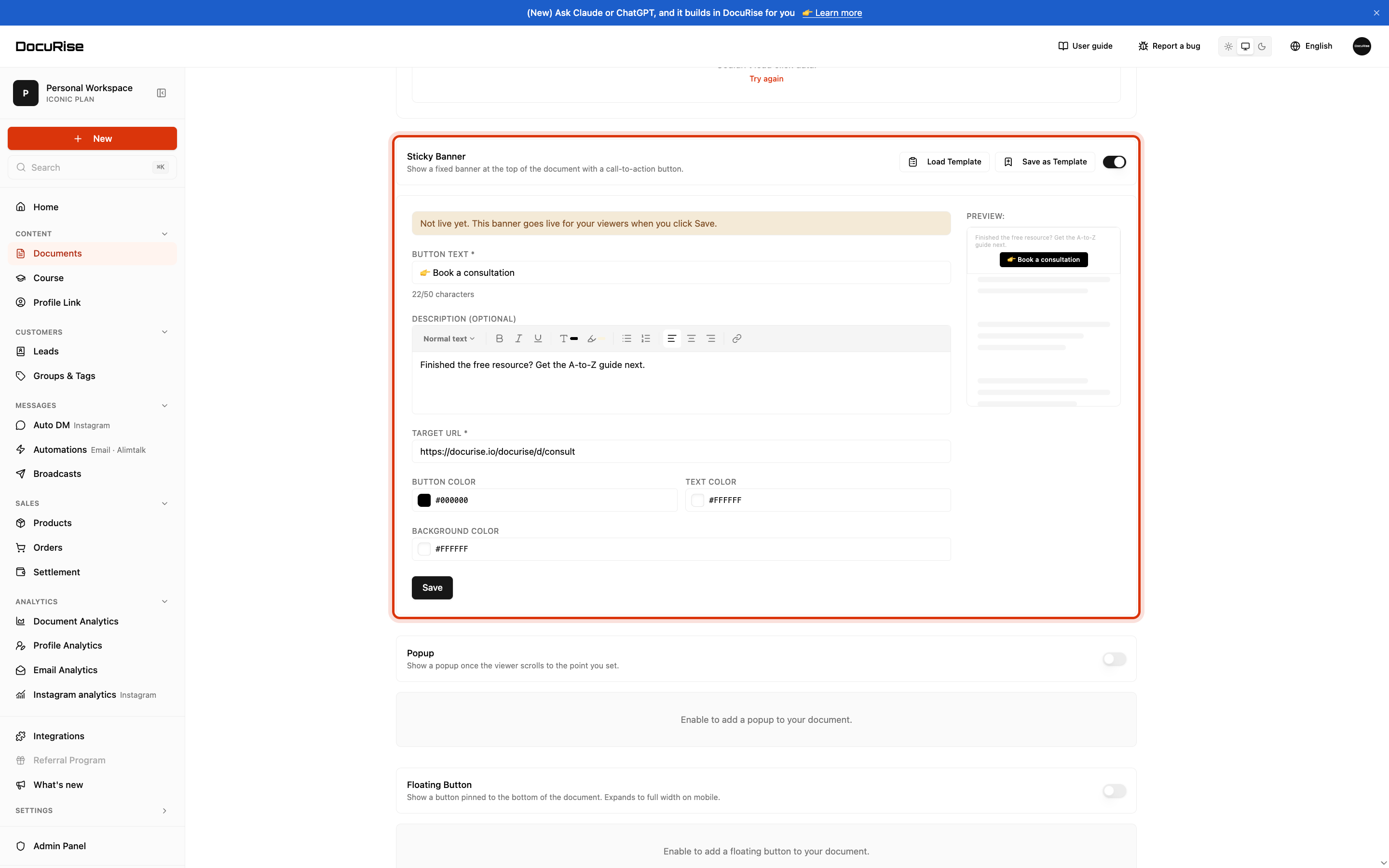
Step 5 / 6 · Document → Popups / Banners
Enter the button text and target link
Check the preview on the right to see how it looks to viewers.
STEP 7: Connect a product
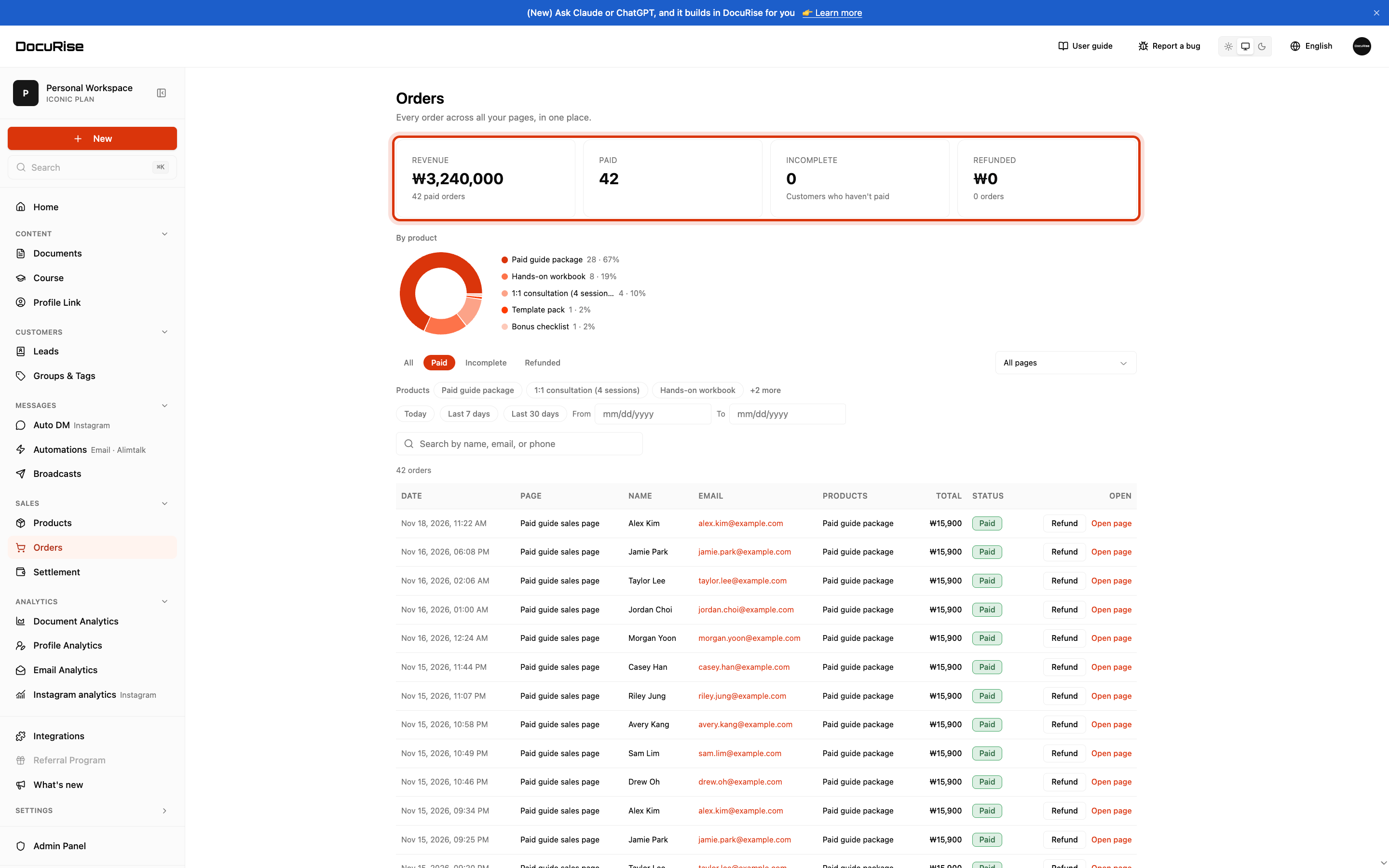
Step 6 / 6 · Sales → Orders
See payments and refunds in one place
When you sell inside DocuRise, you can see orders, refunds, and sales by product as they are.
STEP 7: Connect a product